
How to Reconcile Accounts in QuickBooks Desktop: Step-by-Step Guide

Step 1: Gather Your Bank Statement Before starting, obtain the most recent bank or credit card statement for the period you wish to reconcile. You will need: Statement ending date Ending balance List of deposits, withdrawals, fees, and interest Make sure all transactions for the month have been entered or downloaded from your bank feeds. Read more »
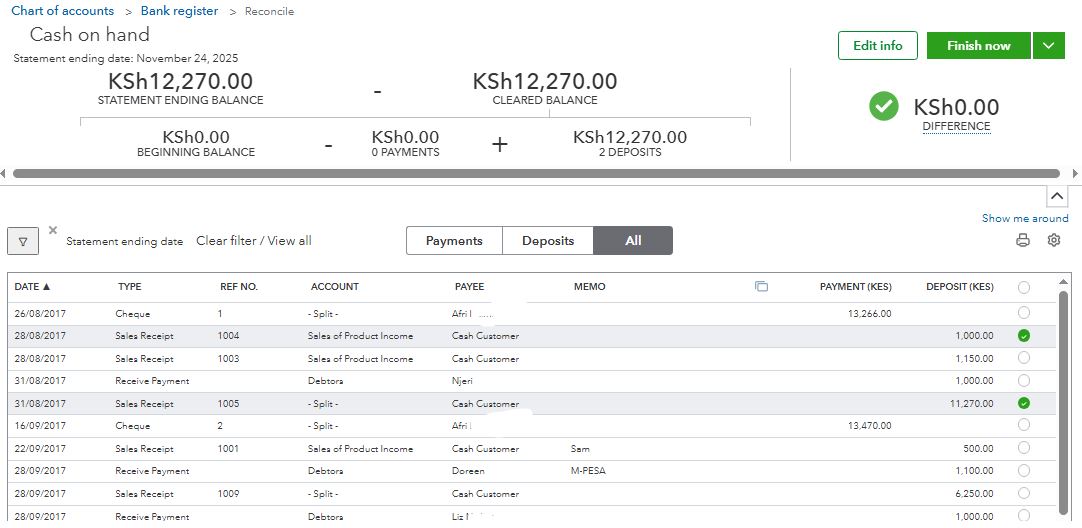

How to Reconcile Accounts in QuickBooks Online: A Step-by-Step Guide

Introduction Reconciling accounts in QuickBooks Online is one of the most critical bookkeeping tasks for maintaining accurate financial records. It ensures that your QuickBooks balance matches your actual bank or credit card statement, helping identify missing transactions, duplicate entries, or bank errors. Whether you’re a small business owner, accountant, or bookkeeper, understanding how to perform Read more »

quickbooks-logo-250

Thank you for downloading QuickBooks!

You can make a purchase by calling +254740670000 or email info@dynastyconsulting.co.ke today.

Quickbooks - Powerful accounting tools for small and growing businesses. Track expenses, customize invoices, run reports, and do even more all from one place.